
Honda HR-V: Voltage Waveform Samples
NOTE: This is GENERAL information. This article is not intended to be specific to any unique situation or individual vehicle configuration. For model-specific information see appropriate articles where available.
EXAMPLE #1 - VOLTAGE CONTROLLED DRIVER
These two known-good waveform patterns are from a Ford 4.6L V8 VIN [W]. Fig. 18 illustrates the 64 volt inductive kick on this engine, indicating no clamping is occurring. The second pattern, Fig. 19, was taken during hot idle, closed loop, and no load.
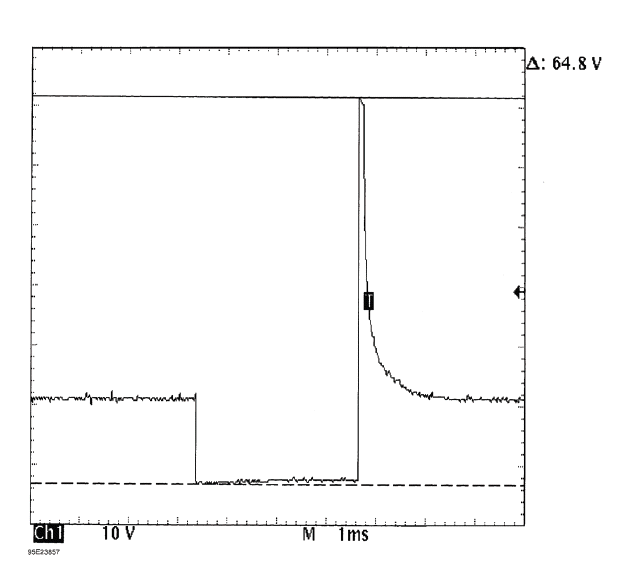
Fig. 18: Injector Bank - Known Good - Voltage Pattern
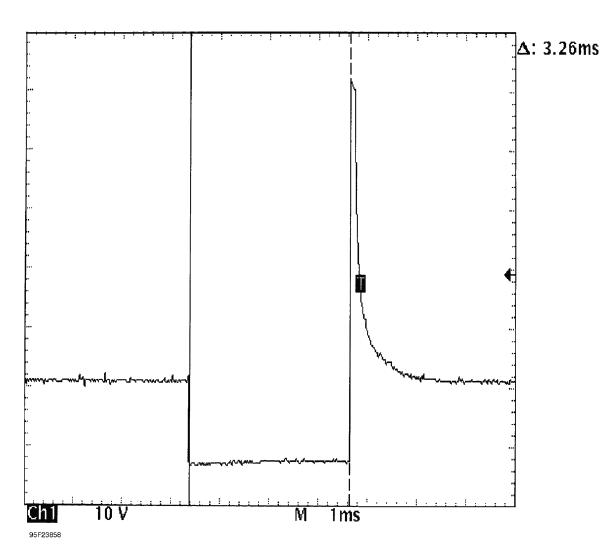
Fig. 19: Injector Bank - Known Good - Voltage Pattern
EXAMPLE #2 - VOLTAGE CONTROLLED DRIVER
The known-good waveform pattern in Fig. 20 is from a GM 3.8L V6 PFI VIN [3]. It was taken during hot idle, closed loop and no load.
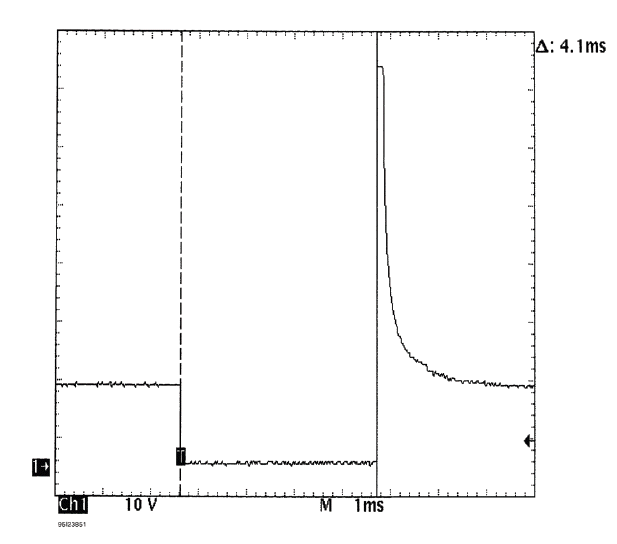
Fig. 20: Injector Bank - Known Good - Voltage Pattern
EXAMPLE #3 - VOLTAGE CONTROLLED DRIVER
This known-good waveform pattern, Fig. 21, is from a GM 5.0L V8 TPI VIN [F]. It was taken during hot idle, closed loop and no load.
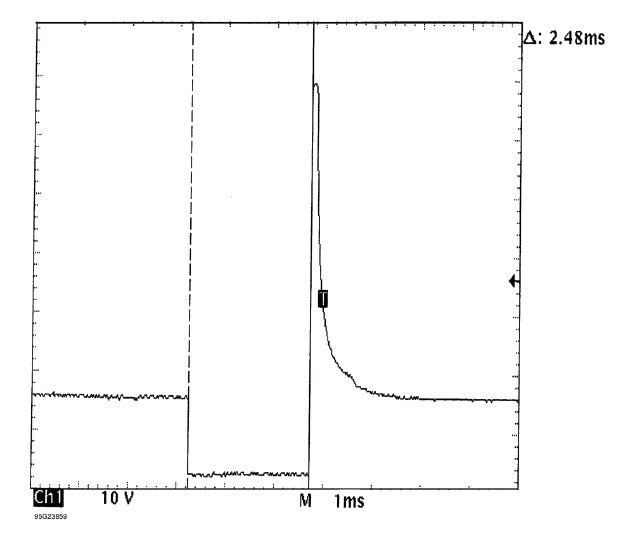
Fig. 21: Injector Bank - Known Good - Voltage Pattern
EXAMPLE #4 - CURRENT CONTROLLED DRIVER
From 1984 to 1987, Chrysler used this type injector drive on their TBI-equipped engines. See Fig. 22 for a known-good pattern. Instead of the ground side controlling the injector, Chrysler permanently grounds out the injector and switches the power feed side. Most systems do not work this way.
These injectors peak at 6 amps of current flow and hold at 1 amp.
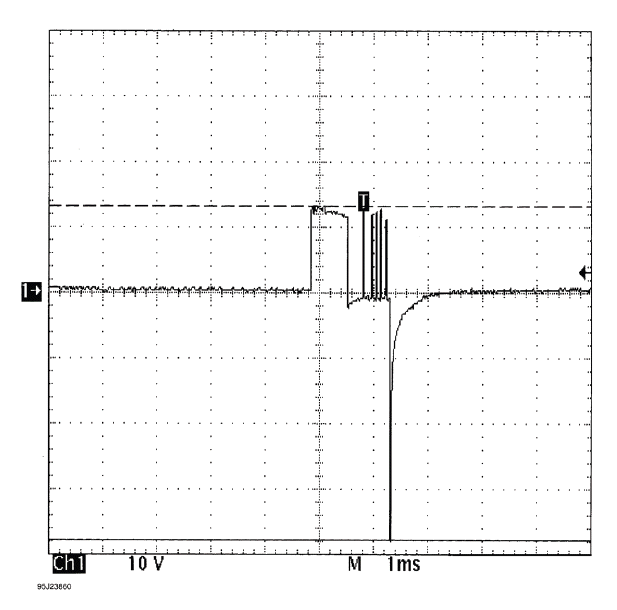
Fig. 22: Single Injector - Known Good - Voltage Pattern
EXAMPLE #5 - CURRENT CONTROLLED DRIVER
These two known-good waveform patterns are from a Chrysler 3.0L V6 VIN [3]. The first waveform, Fig. 23, is a dual trace pattern that illustrates how Chrysler uses the rising edge of the engine speed signal to trigger the injectors. The second waveform, Fig. 24, was taken during hot idle, closed loop, and no load.
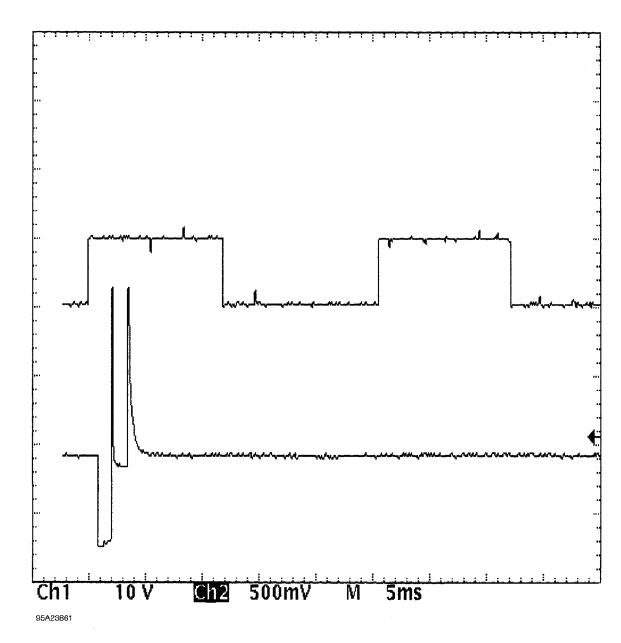
Fig. 23: Injector Bank - Known Good - Voltage Pattern
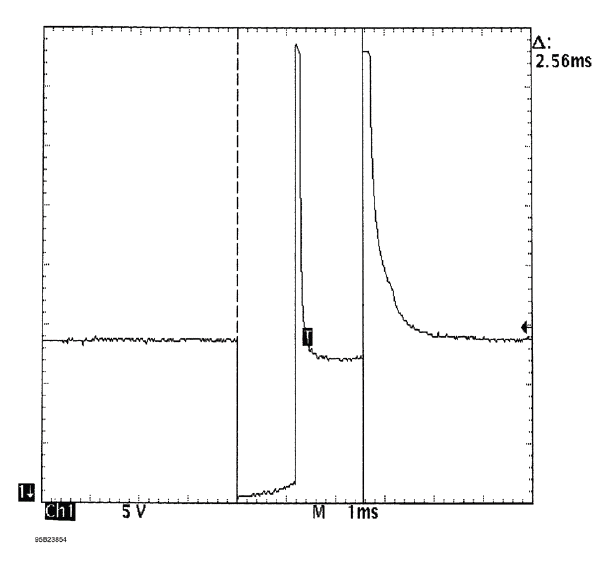
Fig. 24: Injector Bank - Known Good - Voltage Pattern
EXAMPLE #6 - CURRENT CONTROLLED DRIVER
This known-good pattern from a Ford 3.0L V6 PFI VIN [U] illustrates that a zener diode inside the computer is used to clamp the injector's inductive kick to 35-volts on this system. See Fig. 25.
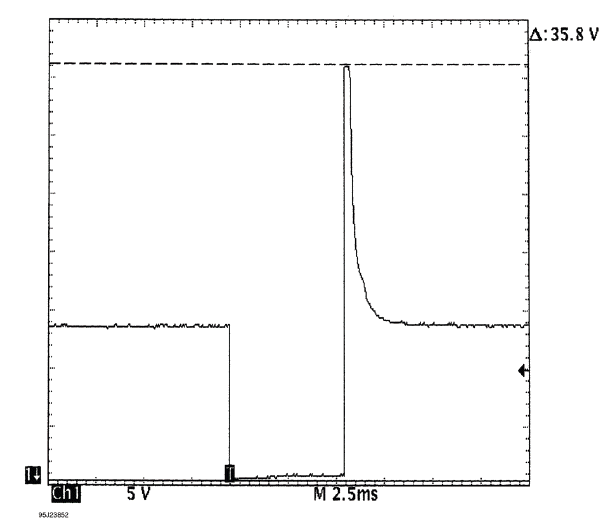
Fig. 25: Injector Bank - Known Good - Voltage Pattern
EXAMPLE #7 - CURRENT CONTROLLED DRIVER
This known-good waveform from a Ford 5.0L V8 CFI VIN [F] was taken during hot idle, closed loop, and no load. See Fig. 26.
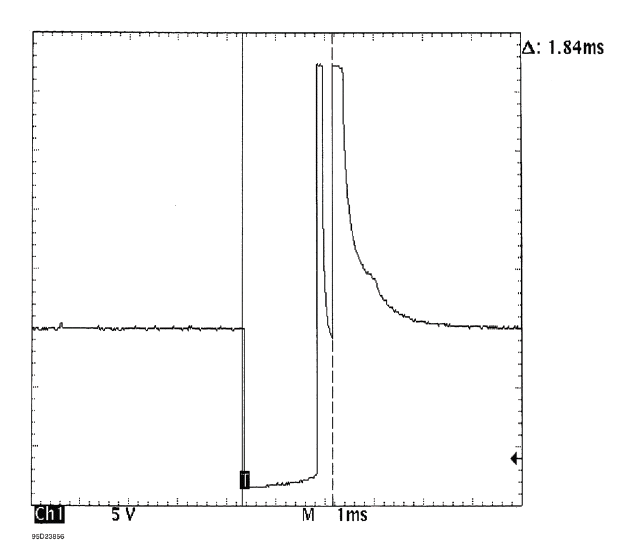
Fig. 26: Single Injector - Known Good - Voltage Pattern
EXAMPLE #8 - CURRENT CONTROLLED DRIVER
These two known-good waveform patterns are from a GM 2.0L In-Line 4 VIN [1]. Fig. 27 illustrates the 78 volt inductive spike that indicates a zener diode is not used. The second waveform, Fig. 28, was taken during hot idle, closed loop, and no load.
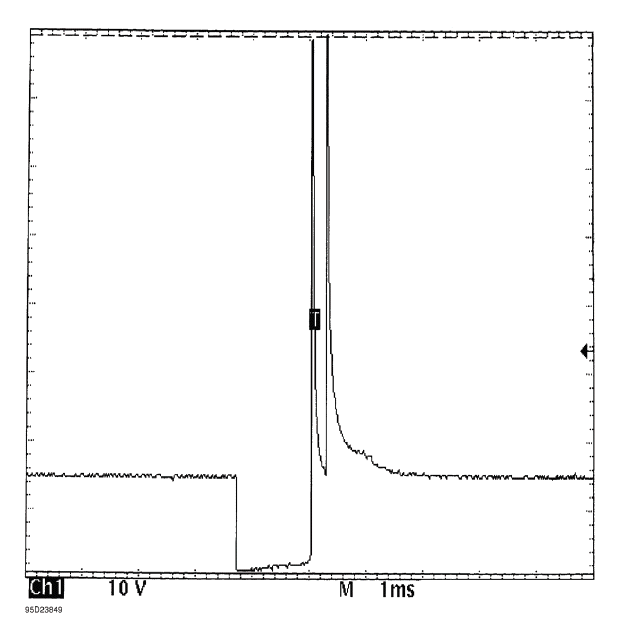
Fig. 27: Single Injector - Known Good - Voltage Pattern
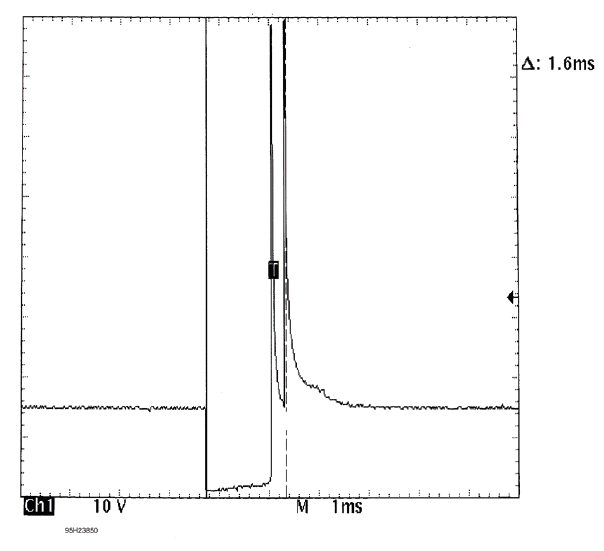
Fig. 28: Single Injector - Known Good - Voltage Pattern
READ NEXT:
 Wheel Alignment Theory & Operation
* PLEASE READ THIS FIRST *
NOTE: This is GENERAL information. This article is not intended to be
specific to any
unique situation or individual vehicle configuration. For model-specific
information s
Maintenance
MAINTENANCE MAIN ITEMS (KA/KC MODELS)
If the message "SERVICE" does not appear more than 12 months after the
display is reset, change the
engine oil every year.
NOTE:
Independent of the maintenance
SEE MORE:
Gauges Symptom Troubleshooting - Fuel Gauge Indication Does Not Rise
Fuel gauge indication does not rise
NOTE:
When refueling, the gauge control module shifts to the "refueling mode,"
moving the fuel gauge indicator
only after it detects that 5 liters (approximately 1.3 U.S. gallon) of fuel
have been added.
The fuel gauge indication may not rise when refuelin
Emblem/Sticker Removal and Installation
Removal
Front Emblem
1. Front Grille - Remove
2. Front Emblem - Remove
Rear Center Emblem
3. Rear License Trim - Remove
4. Rear Center Emblem - Remove
Rear Emblem
5. Rear Emblem - Remove
Installation
Front Emblem
1. Front Emblem - Install
2. Front Grille - Install
Rear Center Emblem
3. Rear Center
